
Calculator Guide
Data Entry
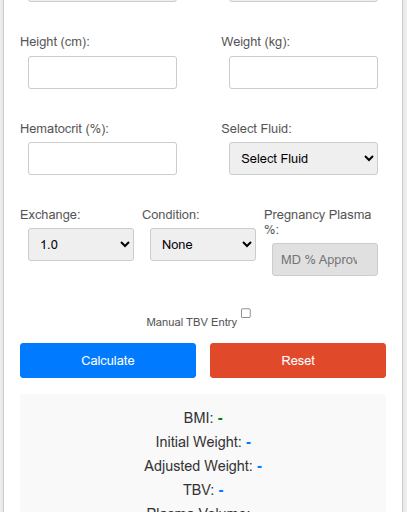
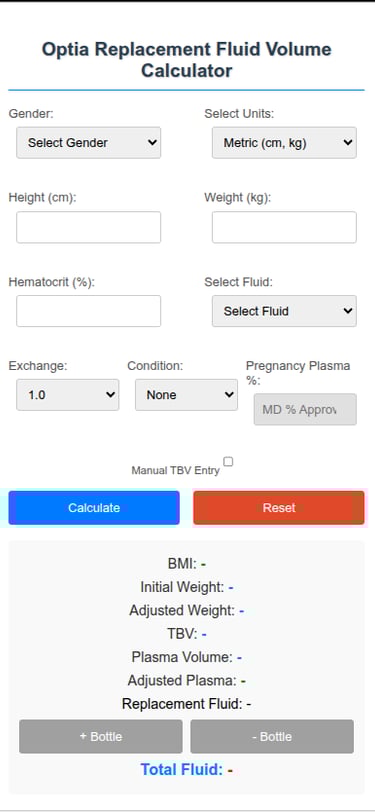
Gender, height, weight and HCT
Metric or Imperial measurements.
Exchange (1.0, 1.5) and condition as needed.
Pregnancy is based on number of weeks gestation (increased TBV), and amputee is based on weight (decrease weight %) and are rare.
Selection for condition must be approved by ARC, MD .
Manually enter TBV for smaller patients (new).
Example
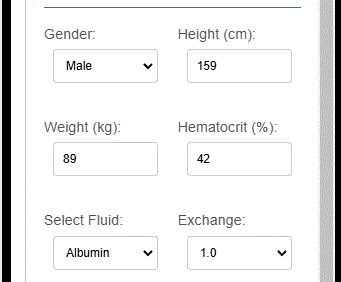
Data: male, 159 cm, 89 kg, HCT: 42, albumin, 1.0 exchange and no conditions.
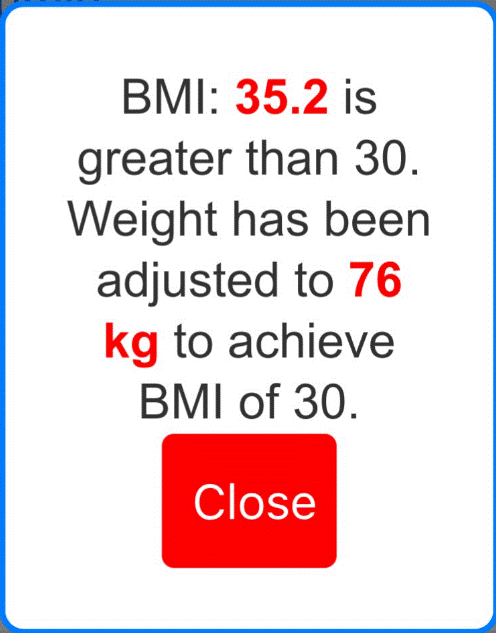
Results for BMI:30.1 (35.2 to 30). Notice initial weight 89 kg and adjusted weight 76 kg are both displayed.
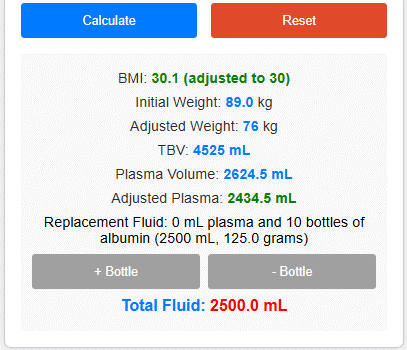
Compare adjusted plasma with total fluid needed and decide if albumin volume needs adjusting. Select +/- as needed.
For BMI:30 we have adjusted plasma of 2435 ml and will need 2500 ml albumin, 125.0 grams for a 1.0 whole blood exchange. Consider patient stability and adjust volume as needed (hypotension, CHF, bleeding, renal function...)
The adjusted volume is determined by the Optia machine's fluid manipulation, accounting for minor, often imperceptible changes. This includes typical errors associated with peristaltic pumps, type kits, and other unforeseen factors.
The average percentage difference between plasma volume and adjusted volume is incorporated into the final equation.
Note:
If using all plasma an extra 100ml will be added. Using all albumin volume will be rounded: 2036ml rounds down to 2000ml and 2141ml rounds up to 2250ml. In practice this has worked well.
If using 1/2:1/2 can tweak as needed. Do I need to stop albumin early or add extra plasma to my replacement fluid order.
For information on how to use BMI/Units and PLTD, open the tool and locate "about" located in upper left corner.
Press "Calculate" button once. If BMI > 30 a message will appear:
For information on how to use BMI/Units and PLTD, open the tool and locate "about" located in upper left hand corner.